Grandma’s Spice
A detail-preserving clipper plugin from Umami Audio — Windows, macOS & Linux · VST3 / AU
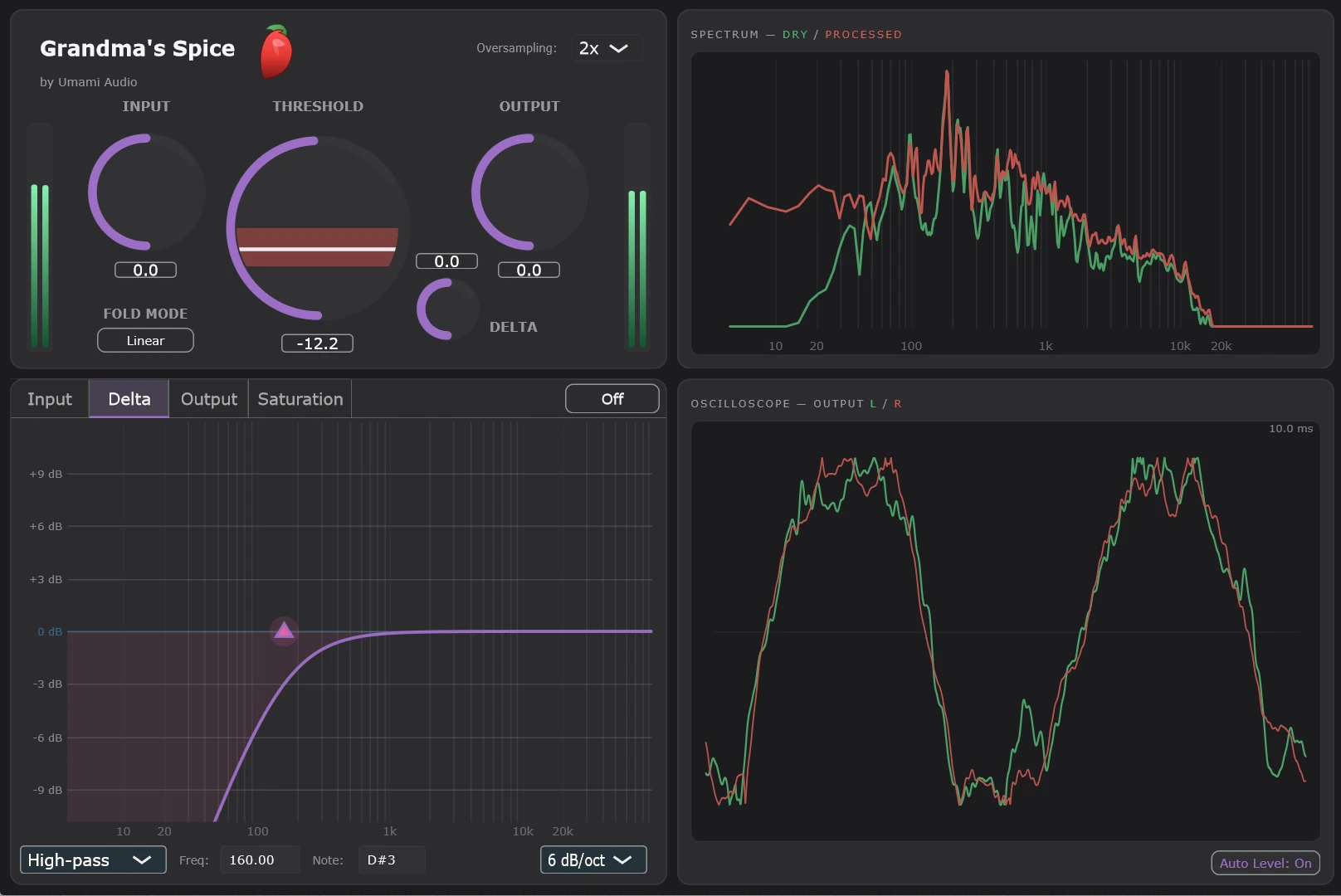
What is a detail-preserving clipper?
When you clip a signal hard enough, the peaks get flattened into something resembling a square wave. Any intricate detail riding on those peaks — high-frequency harmonics, transient texture — gets flattened out along with it.
Unlike a standard hard clipper, Grandma’s Spice is a detail-preserving clipper plugin. The idea came originally from au5_official and tomfinster. However, we’re taking it a step further.
Grandma’s Spice uses a foldback technique where these signals can reflect infinitely back into the permitted signal range, so you can keep pushing for that ultra hot spiciness.
See the Difference
Standard Clipper
Detail-Preserving Clipper
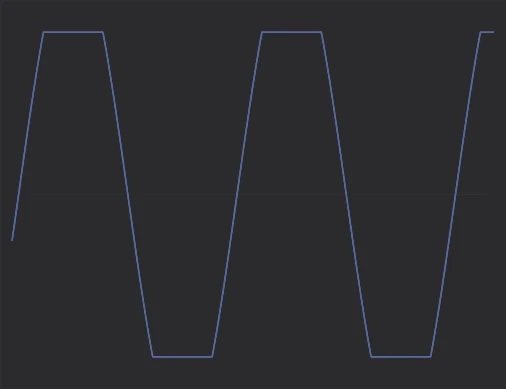

Clean sine wave — the standard clipper flattens peaks into a square wave, while the foldback clipper reflects them back into range, preserving the wave shape.
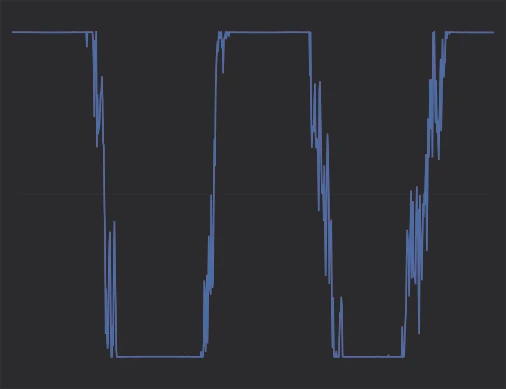
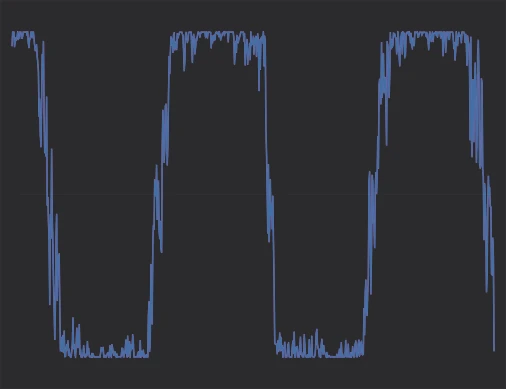
Sine + noise — the standard clipper crushes the high-frequency texture riding the peaks, while Grandma’s Spice keeps that detail alive.
Notice how detail and harmonic texture survive on the right, even as the signal is pushed well past the clipping threshold — that’s the spiciness we’re after.
Three modes of folding
Mode 1 — Triangle
The classic wave-folder zig-zag: the overshoot reflects off the threshold with a sharp corner. The brightest and most aggressive of the three — dense upper harmonics with real bite.
Mode 2 — Sine
A smooth sinusoidal reflection — the peak lands exactly at the threshold with no hard corner. Rounder, warmer harmonics that stay musical as you push the input harder.
Mode 3 — Soft
The sine fold over a soft-clip baseline, blended so smoothly that even EQ’ing the folded overshoot never stamps a hard edge on the waveform. The most transparent mode.
Switch modes with the Fold Mode button — changes crossfade seamlessly, so you can compare while audio is running.
The saturation section
New in this version: after the fold stage, the signal runs through a four-flavour analog-style saturation pad. Drag a single node around an XY pad to blend four circuit characters — Linear (clean pass-through), JFET (square-law asymmetry, second-harmonic warmth), Op-Amp (with a Retro full-band variant), and Transformer (core hysteresis with a gentle high-frequency roll-off).
Each corner is loudness-compensated so you can morph between flavours without level jumps, corner labels click to flip or bypass individual circuits, and every move is smoothed — no clicks, ever. Find it in the Saturation tab next to the three EQs.
Signal Flow
The foldback clipper sits at the core of the signal chain. Its delta EQ & gain branch — which shapes only the folded overshoot — sums back into the main path via the (+) junction, then the four-flavour saturation blend, output EQ, and make-up gain lead into a final brick-wall clipper that bounds the signal to full scale. The dashed boxes are analysis-only taps: the meters watch the signal right after the input and output gain stages (the Threshold knob’s VU readout is the ratio of those two taps), the spectrum compares its “dry” tap after the input EQ against a “processed” tap at the final output, where the oscilloscope also listens. With oversampling engaged, this entire chain runs at the elevated rate.
Choose Your Platform
Select the installer for your operating system
macOS
macOS 11.0 (Big Sur) or later
Intel (x86_64) and Apple Silicon (arm64)
Download for macOSGrandmasSpice_Setup_1.0.0056_macOS.pkg
Linux
Ubuntu 22.04 / Debian 12 or later
64-bit (x86_64 / amd64)
Download for LinuxGrandmasSpice_Setup_1.0.0055_Linux64.deb
Need Help?
Join our Discord community or contact support if you have questions.